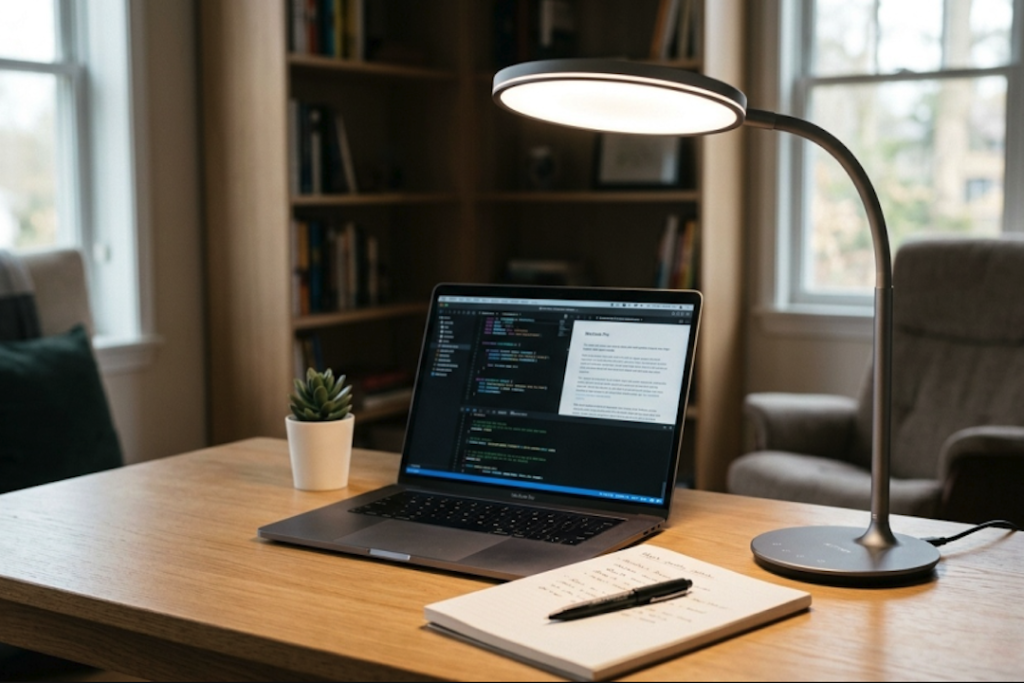
So, you’re thinking about a smart desk lamp, the kind you can control with your phone? Great question, and the answer is: absolutely, yes. An app-controlled smart desk lamp can seriously level up your workspace, not just for task lighting, but for creating a whole mood. It’s more than just an on/off switch; it’s about fine-tuning your environment to make your work, study, or even just your relaxation time a lot more pleasant and productive.
Understanding the Basics: What Makes It “Smart”?
When we talk about a “smart” desk lamp, the key differentiator is its connectivity. It’s not just about brightness; it’s about convenience and customization that a traditional lamp Lappinlighting just can’t offer.
Connectivity: The Bluetooth and Wi-Fi Difference
- Bluetooth: Most smart desk lamps will use Bluetooth for a direct connection to your smartphone or tablet. This is usually the simplest setup – download the app, pair the lamp, and you’re good to go. It’s great for controlling your lamp when you’re right there near it. Think of it like connecting your wireless earbuds. It’s quick and easy for personal use.
- Wi-Fi: Some higher-end smart lamps also connect via Wi-Fi. This opens up possibilities for remote control (you can turn your lamp on or off from across town!) and integration with other smart home systems like Alexa or Google Assistant. If you’re building out a smart home ecosystem, Wi-Fi connectivity is a big plus. It allows for more complex automation and voice commands.
App Control: More Than Just an On/Off Switch
The companion app is where the magic happens. It’s your central hub for all the lamp’s features.
- Dimming and Brightness: This is a fundamental but hugely impactful feature. You can dial in the exact brightness you need, whether it’s a gentle glow for late-night reading or a bright, focused beam for detailed work. We’re talking granular control here, not just a few preset levels.
- Color Temperature: This is a game-changer for ambient lighting. You can adjust the “warmth” or “coolness” of the light. Think soft, warm yellows that mimic a sunset for relaxation, or crisp, cool whites that help you stay alert and focused during work hours. It’s like having multiple lamps in one.
- Color Options (RGB): Some smart lamps go a step further with RGB capabilities, meaning they can produce a vast spectrum of colors. While this might seem like a novelty for a desk lamp, it’s surprisingly useful for setting specific moods or even for visual cues (e.g., a red light to signal a “do not disturb” period).
The “Ambient Lighting” Advantage: Why It Matters
Ambient lighting is about more than just illumination; it’s about creating an atmosphere. A smart desk lamp excels at this because it offers a level of control that traditional lighting simply can’t match.
Beyond Task Lighting: Creating an Environment
- Reducing Eye Strain: This is a big one for anyone spending hours at a desk. By having control over both brightness and color temperature, you can create a lighting environment that’s much gentler on your eyes. Harsh overhead lights or a lamp that’s too bright or too blue can lead to fatigue. A smart lamp lets you tailor the light to your specific needs and the time of day.
- Boosting Productivity: Cool, white light is generally associated with alertness and focus. Being able to quickly switch to a cooler temperature can give you a cognitive boost when you need to concentrate. Conversely, as the day winds down, switching to a warmer, softer light can signal to your brain that it’s time to relax, helping you transition out of work mode more smoothly.
- Enhancing Mood and Well-being: Lighting has a profound impact on our mood. A warm, cozy light can make a space feel more inviting and comforting. For tasks that require a bit more creativity or a relaxed mindset, you can use softer, warmer tones. Some people even find that certain colors can subtly influence their feelings.
- Smart Scheduling and Automation: This is where the “smart” aspect really shines for ambient lighting. You can set your lamp to gradually brighten in the morning, mimicking a sunrise, or to dim and warm up in the evening. This helps regulate your body’s natural circadian rhythm, which can improve sleep quality and overall well-being. You can also set schedules for specific tasks, like having a focused white light turn on automatically at your usual work start time.
Mimicking Natural Light Cycles
- Sunrise Simulation: Some advanced smart lamps can gradually increase in brightness and shift in color temperature over a set period, simulating a natural sunrise. This can be a much more pleasant way to wake up than a jarring alarm, and it sets a positive tone for the day.
- Sunset Simulation: The reverse is also true. A gradual dimming and warming process in the evening can help your body wind down and prepare for sleep, which is something traditional lamps just can’t do.
Practical Applications: How to Use It Effectively
It’s not just about having cool features; it’s about using them to your advantage.
Finding Your Perfect Work Light
- The “Focus Mode”: Many apps will have preset options. A “focus” or “work” mode will typically set the lamp to a neutral to slightly cool white light at a good brightness for detailed tasks. This is your go-to for writing, coding, or anything that requires sharp visual attention.
- The “Reading Mode”: For longer reading sessions, a slightly warmer tone with adjustable brightness can be significantly more comfortable than harsh, cool light. This reduces glare and the feeling of mental effort.
- Custom Profiles: The real power comes from creating your own profiles. Experiment with different brightness and color temperature combinations until you find what feels just right for you. Save these as custom presets in your app so you can switch between them with a single tap.
Setting the Vibe for Different Activities
- Relaxation and Unwinding: When you’re done with work and want to chill, a warm, dim, amber-toned light is perfect. It creates a cozy and inviting atmosphere, perfect for reading a novel or just decompressing.
- Creative Flow: For brainstorming or creative work, you might find that a slightly warmer, softer light encourages a more relaxed and imaginative mindset. Experiment with subtle color hues if your lamp offers them.
- Entertaining Guests: If your desk is in a common area or you sometimes use it for casual gatherings, the RGB color options can be fun for setting a festive or unique ambiance.
Integrating with Your Daily Routine
- Morning Wake-Up: As mentioned, a light that gradually brightens to simulate sunrise can be a gentle way to start your day, making it easier to get out of bed.
- Evening Wind-Down: Program your lamp to switch to a warm, dim light an hour or two before bedtime. This helps signal to your body that it’s time to relax, potentially improving sleep onset.
- “Do Not Disturb” Signals: For shared workspaces or if you have family around, you can use a specific color (like red) or a distinct brightness level as a visual cue that you’re in deep focus and shouldn’t be interrupted.
Key Features to Look For
When you’re browsing for an app-controlled smart desk lamp, there are a few things that will make a bigger difference in your daily experience.
Brightness and Color Control Range
- Lumens: This is the unit of measurement for brightness. For a desk lamp, you’ll want something that can get sufficiently bright for task work but also dim down to a very low level for ambient use. Look for lamps with a range that covers your needs, typically from around 400 lumens for softer lighting up to 800-1000 lumens for bright task lighting.
- Color Temperature Kelvin (K): This tells you how warm or cool the white light is. A good range to look for is from around 2700K (warm white, like an incandescent bulb) up to 6500K (cool white, like daylight). Lamps with a broader range offer more flexibility.
App Functionality and Ease of Use
- Intuitive Interface: The app should be straightforward and easy to navigate. You don’t want to spend ages trying to find the right setting. Look at user reviews to get an idea of how user-friendly the app is.
- Preset Modes: While custom options are great, well-designed preset modes (like “Reading,” “Focus,” “Relax”) can be a good starting point and save you time.
- Scheduling and Timers: The ability to set schedules for turning the lamp on/off or changing settings is crucial for automation and convenience.
- Firmware Updates: A good manufacturer will regularly update their app and lamp firmware to fix bugs and add new features. This ensures your lamp stays functional and improves over time.
Design and Build Quality
- Adjustability: A flexible neck or adjustable arm is essential for directing light exactly where you need it.
- Stability: The lamp should feel sturdy and not wobbly, especially if you’re adjusting it frequently.
- Aesthetics: While functionality is key, it’s also a piece of your workspace. Choose a design that complements your existing setup.
- Light Source Type: Most smart desk lamps use LED lights, which are energy-efficient and long-lasting.
Potential Downsides and How to Mitigate Them
While the benefits are clear, it’s helpful to be aware of any potential drawbacks and how to work around them.
Initial Setup and Connectivity Hiccups
- Pairing Issues: Occasionally, Bluetooth or Wi-Fi pairing can be a bit fiddly. Make sure your phone’s Bluetooth is on, you’re close to the lamp during initial setup, and that your Wi-Fi network is stable if using that option. Following the app’s instructions carefully usually resolves this.
- App Reliance: If the app crashes or your phone isn’t available, you might lose some of the advanced control. However, most smart lamps still retain basic physical controls for on/off and sometimes brightness, so you’re rarely left completely in the dark.
Cost vs. Traditional Lamps
- Higher Price Point: Smart desk lamps generally cost more than their basic, non-smart counterparts. However, when you consider the multiple lighting functions, energy efficiency, and potential impact on productivity and well-being, the investment can be well worth it for heavy desk users. Think of it as paying for advanced customization rather than just a light source.
Privacy and Security Concerns
- Data Collection: Like any app connected to the internet, there’s a potential for data collection. Read the app’s privacy policy to understand what data is collected and how it’s used. Major brands are generally transparent about this.
- Secure Networks: If your smart lamp uses Wi-Fi, ensure your home network is secured with a strong password to prevent unauthorized access.
The Verdict: Is an App-Controlled Smart Desk Lamp Worth It?
Ultimately, the “worth” depends on your needs and how you use your desk.
For the Power User or Anyone Seeking Comfort and Control
If you spend significant time at your desk for work, study, creative projects, or even extended gaming sessions, the ability to fine-tune your lighting environment can have a noticeable positive impact. The benefits of reduced eye strain, improved focus, and better mood regulation are tangible. The convenience of app control, scheduling, and presets makes it a practical upgrade.
Not Necessarily for Casual Desk Users
If you only use your desk for occasional tasks and aren’t particularly bothered by standard lighting, a smart lamp might be overkill. A good quality traditional desk lamp might suffice. However, even for light users, the subtle benefits of better lighting can still be appreciated over time.
In conclusion, an app-controlled smart desk lamp is far more than a gimmick. It’s a tool that empowers you to create a personalized and optimized lighting environment, enhancing both your comfort and productivity. By understanding the features and considering your own needs, you can make an informed decision about whether this smart upgrade is the right fit for your workspace.


More Posts
Elevate Your Outdoor Space with Stylish Solar Path Lights
Best Waterproof Outdoor Lanterns for Covered Porches
Modern Bedside Table Lamps: USB-Enabled Convenience